Home / How to Play PINKIE PROMISE: Controls & Beginner Guide
How to Play PINKIE PROMISE: PC, Mobile & Console Controls Guide
Complete input chart for every Roblox device paired with the four survival habits every new player needs.
Quick Answer
PINKIE PROMISE is a chapter-based stealth horror game on Roblox (Place ID 75815532269840). Move with WASD / Left Stick, hold Shift to sprint, press Space / Jump over chase obstacles, and press E / Tap on-screen prompts to interact with doors, fuses, hiding spots, and Scrapbook clues.
Last audited: 2026-11-24
VISUAL REFERENCE
Scene Context & Key Focus
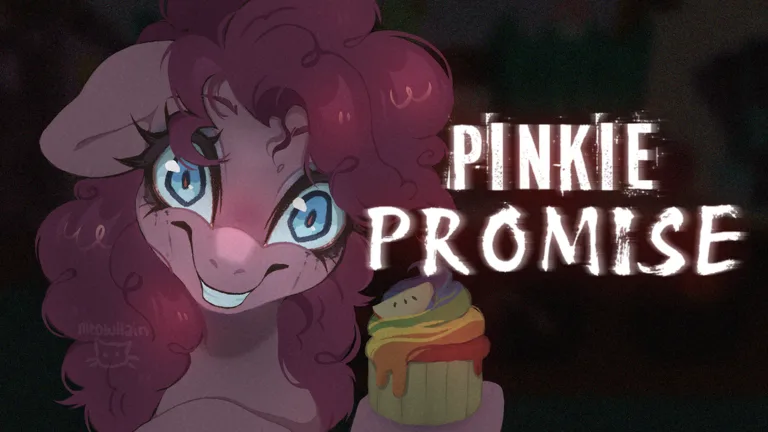
What are the PINKIE PROMISE controls on PC, mobile and console?
Move with WASD (or Left Stick), hold Shift to sprint, press Space to jump obstacles, and press E (or tap on-screen prompts) to interact with doors, fuses, and hiding spots.
| Action | PC Keyboard & Mouse | Mobile / Tablet Touch | Console / Gamepad |
|---|---|---|---|
| Move | W A S D or Arrow Keys |
Left virtual thumbstick | Left Analog Stick |
| Camera / Peek | Right-Click Drag | Drag right half of screen | Right Analog Stick |
| Sprint / Run | Hold Left Shift |
On-screen Sprint button | L3 / LT |
| Jump | Spacebar |
Bottom-right Jump button | A (Xbox) / Cross (PS) |
| Interact (Doors / Fuses / Hiding / Secrets) | Press/Hold E (or click prompt) |
Tap contextual on-screen prompt | X (Xbox) / Square (PS) |
| Equip Flashlight (39R Pass) | 1 / Toolbar click |
Tap bottom toolbar icon | RB / LB |
| Settings / Graphics | Esc |
Top-left Roblox icon | Menu / Options |
What should beginners do first in PINKIE PROMISE?
Redeem CHAPTER2 and PINKIEPROMISE in the main title screen Shop for 2 free self-revives, play Chapter 1 first to learn stealth timing, and always break line of sight behind a doorway before entering a hiding spot.
- Claim free revives early: Visit our active codes page before queuing into Chapter 2.
- Conserve sprint stamina: Walk during calm exploration and save sprint bursts for the Everfree Forest chase and Chapter 2 blackout fuses.
- Keep game audio on: Footsteps, crawlspace vents, and Chainsaw Pinkie's revving warn you seconds before a threat enters your corridor.
What are the best Roblox settings for smoother chases?
Set Graphics Mode to Manual (Level 3–5) and raise Camera Sensitivity slightly so you eliminate barn-fire and factory fog stutter while peeking around Chapter 2 vent junctions cleanly.
Next step: Continue to Best Hiding Spots & Stealth Tier List.
Last verified: 2026-11-24 — checked against the official Roblox badge, store and game APIs.
KEEP READING
Related Guides
FAQ
Frequently Asked Questions
What key do you press to interact in PINKIE PROMISE on PC?
Press or hold E (or click the on-screen ProximityPrompt) when facing doors, fuses, hiding spots, or Scrapbook items.
Can you play PINKIE PROMISE on mobile and console?
Yes—it works on Roblox iOS, Android, Xbox, and PlayStation. On mobile, setting Graphics Quality to Manual 3–4 prevents factory crashes.
Why won't an item let me interact with it?
Step back slightly to center the prompt and verify your current objective—earlier chores or wall switches unlock later doors.