Home / PINKIE PROMISE Troubleshooting: Lag, Crashes & Prompt Fixes
PINKIE PROMISE Troubleshooting: Lag, Crashes & Stuck Interaction Fixes
Fast fixes for mobile RAM crashes, unresponsive doors, and server teleport hangs—plus how to verify the real Roblox experience.
Quick Answer
If PINKIE PROMISE doors or props won't interact, finish prerequisite tasks in the room first and step back 2 studs to center the prompt. If mobile crashes during the barn fire or Chapter 2 factory, set Roblox Graphics Mode to Manual (Level 3–4). Always launch via official Roblox Place ID 75815532269840—wiki sites cannot embed the game.
Last audited: 2026-11-24
VISUAL REFERENCE
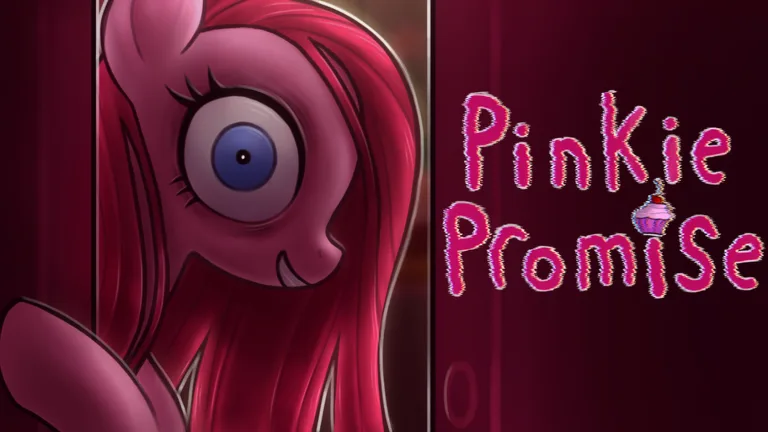
Scene Context & Key Focus
Is PINKIE PROMISE Down Right Now? (Server Status Check)
Before reinstalling Roblox, first separate an official Roblox platform outage from a local connection or device issue using this 4-step server check:
- Check official Roblox platform status: Open status.roblox.com to verify whether Roblox Games, Join, or Avatar services are experiencing a global outage.
- Compare live player count on the official page: Visit the official PINKIE PROMISE Roblox page (Place ID
75815532269840)—normally the game holds 15,000–20,000+ concurrent players; a sudden drop near zero signals a shutdown or live update push. - Switch network or device: Toggle between Wi-Fi and mobile cellular data (or test on another device) to rule out router DNS blocks or high local packet loss.
- Check official Party Cannon Studios announcements: Look at the verified Party Cannon Studios Roblox Group (
Group ID: 535217792) and official Discord for maintenance notices—never download third-party "private server patches" or unofficial fix executables.
3 Most Common Errors & Exact Fixes
| Symptom / Error | Likely Cause | Exact Fix |
|---|---|---|
| Infinite loading screen | Post-patch lobby surge or stalled teleport | Wait 20 seconds, leave completely, and pick a lower-ping server under the Roblox Servers tab |
| Kicked back to lobby / Error 277 | Unstable Wi-Fi, background app sleep, or server restart | Switch to wired/5GHz Wi-Fi, keep Roblox in foreground, and rejoin a fresh instance |
| Door, fuse, or prompt won't interact | Missing prerequisite chore or clipped camera hitbox | Finish active room tasks first, step back 2–3 studs, and re-center your camera on the prop |
Why can't I play PINKIE PROMISE directly in my browser on this wiki?
You cannot play inside a wiki webpage because Roblox blocks external iframe embedding (X-Frame-Options: SAMEORIGIN). Always launch PINKIE PROMISE directly from the official Party Cannon Studios Roblox listing through Roblox Player or the Roblox mobile app.
Why does PINKIE PROMISE keep crashing on my phone?
Set Roblox Graphics Mode to Manual (Level 3–4) and close background apps before entering Chapter 2—heavy fire, fog, and blackout lighting frequently exceed 3–4GB mobile RAM limits on Automatic graphics. Party Cannon Studios also notes "In active development, expect minor bugs."
Why won't doors, fuses, or baking prompts let me interact?
Check your active objective list first because PINKIE PROMISE locks later rooms until earlier chores or wall switches are completed. If the prerequisite is done, step back 2–3 studs so your character doesn't clip the Roblox ProximityPrompt, and check whether a co-op teammate already grabbed that fuse or ingredient.
Next step: Continue to How to Play PINKIE PROMISE: PC, Mobile & Console Controls.
Last verified: 2026-11-24 — checked against the official Roblox badge, store and game APIs.
KEEP READING
Related Guides
FAQ
Frequently Asked Questions
Why can't I play PINKIE PROMISE inside my web browser here?
Roblox blocks external iframe embedding. Launch the official Roblox app or website at Place ID 75815532269840.
How do I stop Chapter 2 from crashing on my phone?
Switch Roblox Graphics Mode to Manual (Level 3–4) and close background apps before joining Chapter 2.
My door won't open—is the game broken?
Usually an earlier chore or wall switch in that zone must be completed before the door unlocks.
Is PINKIE PROMISE down right now?
Check status.roblox.com first, then inspect live concurrent players on official Place ID 75815532269840—if thousands are playing normally, the issue is local to your network or server instance.
Why do I keep getting kicked back to the lobby?
Repeated kicks usually stem from high-ping servers during Chapter 2 traffic surges, unstable Wi-Fi drops, or a live hotfix restart by Party Cannon Studios. Rejoin a fresh low-ping server from the Servers tab.